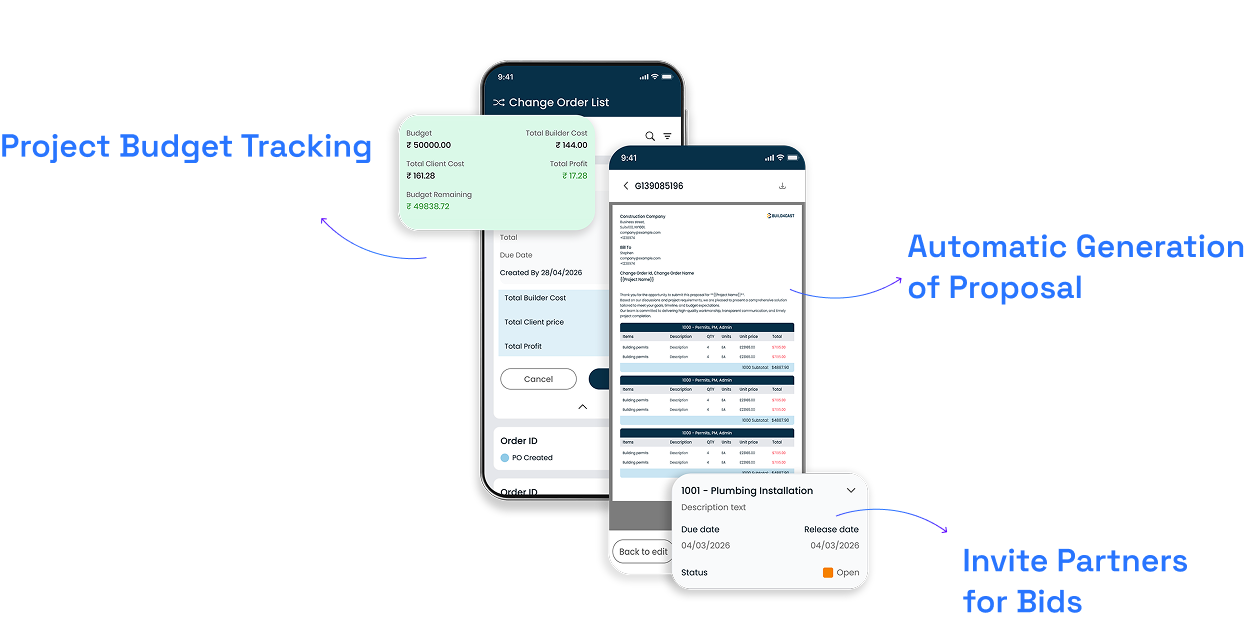
Zenera brings estimation, tender management, purchase orders and job costing into one system, so the numbers on a project are always current, not reconstructed at month-end.
Turn that estimate into something a client can review and approve.
03
Bids
Send the scope to your partners and compare what comes back.
04
Release Purchase Order
Pick a partner, and the PO builds itself from their quote.
05
Generate Bill
Match what's invoiced against what was ordered.
06
Change Order
Log a scope change the moment it happens.
07
Job Cost
See what a job has cost, while it's still running.
Control Your Budget From Estimation to Final Payment
An estimate isn't just a number on a screen; it's the first shape of your project's budget. Zenera keeps that number visible from the moment it's built, through every approval, so nothing leaves your business without a clear line back to the estimate it came from.
Estimation & Tender Management
Get the number right before anything is committed and get it in front of the right partners without a spreadsheet doing the comparing.
Estimation
Build a project's cost picture from line items, quantities and rates, so what goes out the door is a number you can stand behind.
Proposal
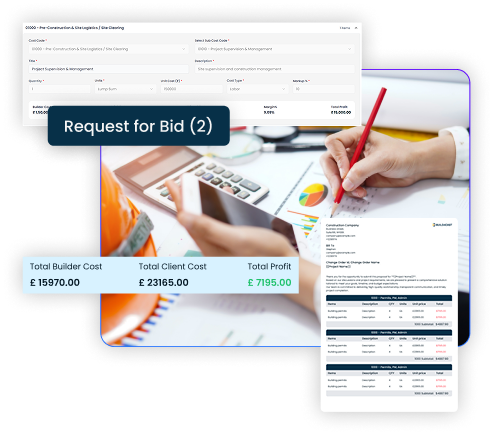
Turn an estimate into a proposal a client can review, not a spreadsheet forwarded with no context.
Bids
Send the same scope to multiple partners and see every quote side by side - quantity, unit cost, total, notes - instead of comparing emails against each other. Award the one that fits.
Construction Material & Procurement Management
Turn an awarded quote into a purchase order without retyping a single figure, and get it approved without chasing anyone for a signature.
Purchase Orders
Once a partner is awarded, the PO isn't built from scratch; it's built from what they already quoted. Costs, quantities and partner details are pulled automatically and are ready to preview rather than retype. Adjust it while it's still a draft, then release it for approval through a secure link the partner can open easily.
Construction Cost & Financial Control
Keep every invoice, change and cost accountable against the original plan, while there's still time to do something about it.
Bills
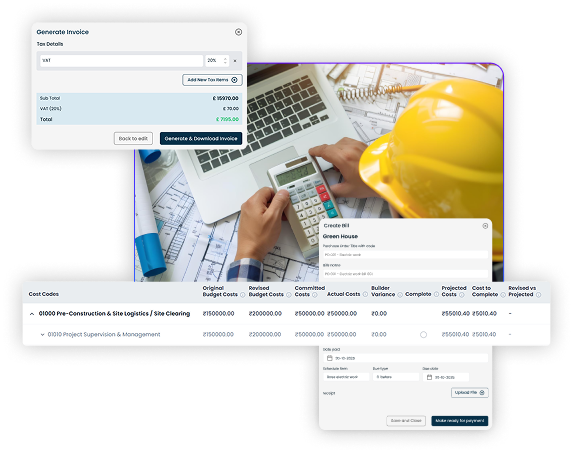
Check what's been invoiced against what was ordered and approved, so nothing gets paid twice or paid for the wrong scope.
Change Orders
Log a scope change against the contract and budget it affects, with a reason attached.
Job Costing
See what a job has cost against what it was estimated to cost, while the project is still running.
Use One System To Track All Your Payments
Estimation, tendering, procurement and cost tracking, all customised to how your business manages financial approvals. Pay once for this software and own it completely for yourself.
Ready to Put Every Number in One Place?
Tell us how estimation, bidding and approvals currently work in your business. Give us more details on where a quote turns into a number you commit to, and what happens after that. We'll show you what that looks like running through one system, from the first estimate to the final job cost.
Yes, every partner's quote sits on the same bid, side by side, so you're comparing numbers, not chasing emails.
Yes. Once a partner is awarded, their quoted costs and quantities carry straight into the PO. You're reviewing figures, not retyping them.
Either the partner approves it through a secure link sent by email, without needing to log in, or someone on your team signs it off inside Zenera. Either way, it's recorded. You will be able to see who approved it, when, and how.
Yes, a change order is logged against the relevant contract and budget line, with a reason, so it's part of the record rather than a conversation someone half-remembers later.
Yes, cost against budget is visible as the project goes, not just totalled up once it's finished.
Zenera is construction management software built for UK construction businesses. Customised to your workflow, and yours to own with a single one-time payment. No subscriptions needed.